
Pissbet registration takes a phone number with the +251 code and a password that you type twice. The sign-up window opens over the page you are on, so you stay where you were. Later, the same number and password get you back in.
Check the legal position first
In December 2025 the Ethiopian Lottery Service revoked all sports betting licences and told financial institutions to block betting transactions. Check the current official position before you register or send any money.
21+ only · Play responsibly
What You Need Before Pissbet Registration
Keep your phone nearby. A password reset code goes to its number.
- Age 21 or over under local rules. The brand's own footer mentions over 18, but follow the higher limit in Ethiopia.
- Your own phone number. A borrowed or shared line can leave someone else holding your reset code.
- A password that you do not use for Telegram, email or mobile money.
The form has no promo code field. It also asks for no name or email address at this step.
How to Create a Pissbet Account
All three fields on the form are required.
Sign up step by step
Open the form
Press the yellow Sign up button in the header. You can also open the sign-up page from here.
Enter your phone number
The +251 prefix is already in place, so type the rest of your number after it.
Choose a password
Type it into the Password field. Use the eye icon to check what you typed.
Confirm the password
Enter exactly the same characters under Confirm Password.
Finish
Check the number once more, then press Complete Registration.
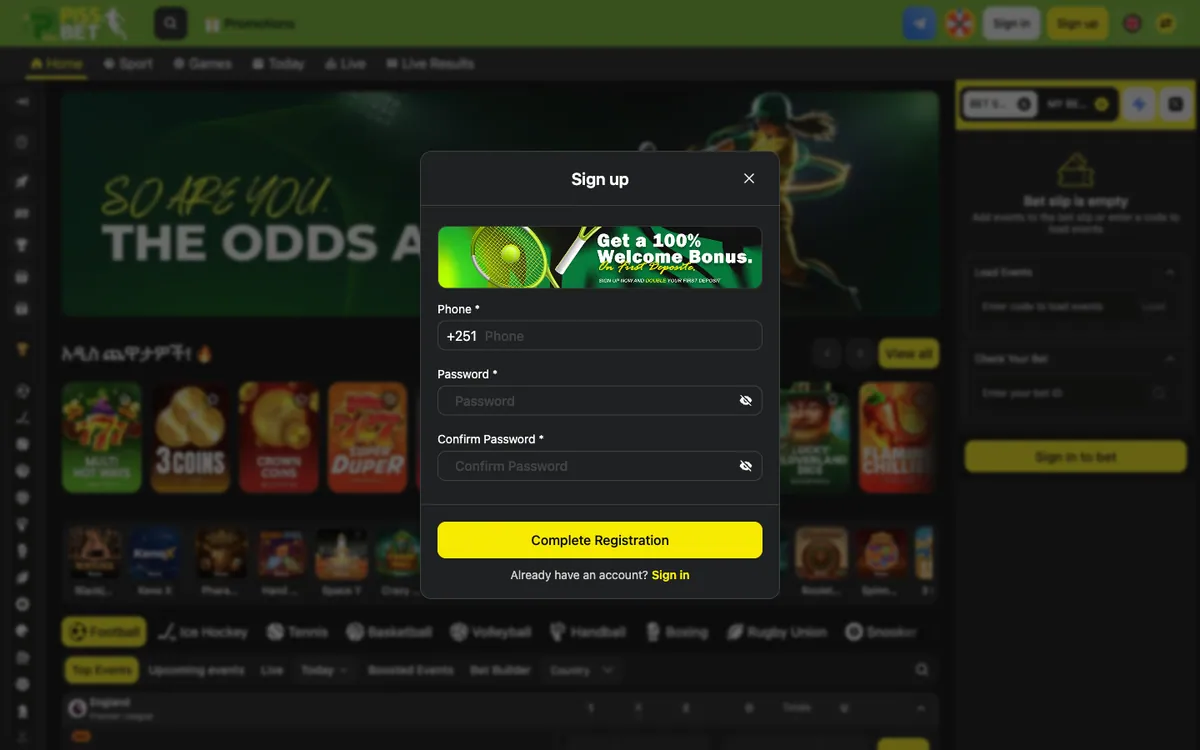
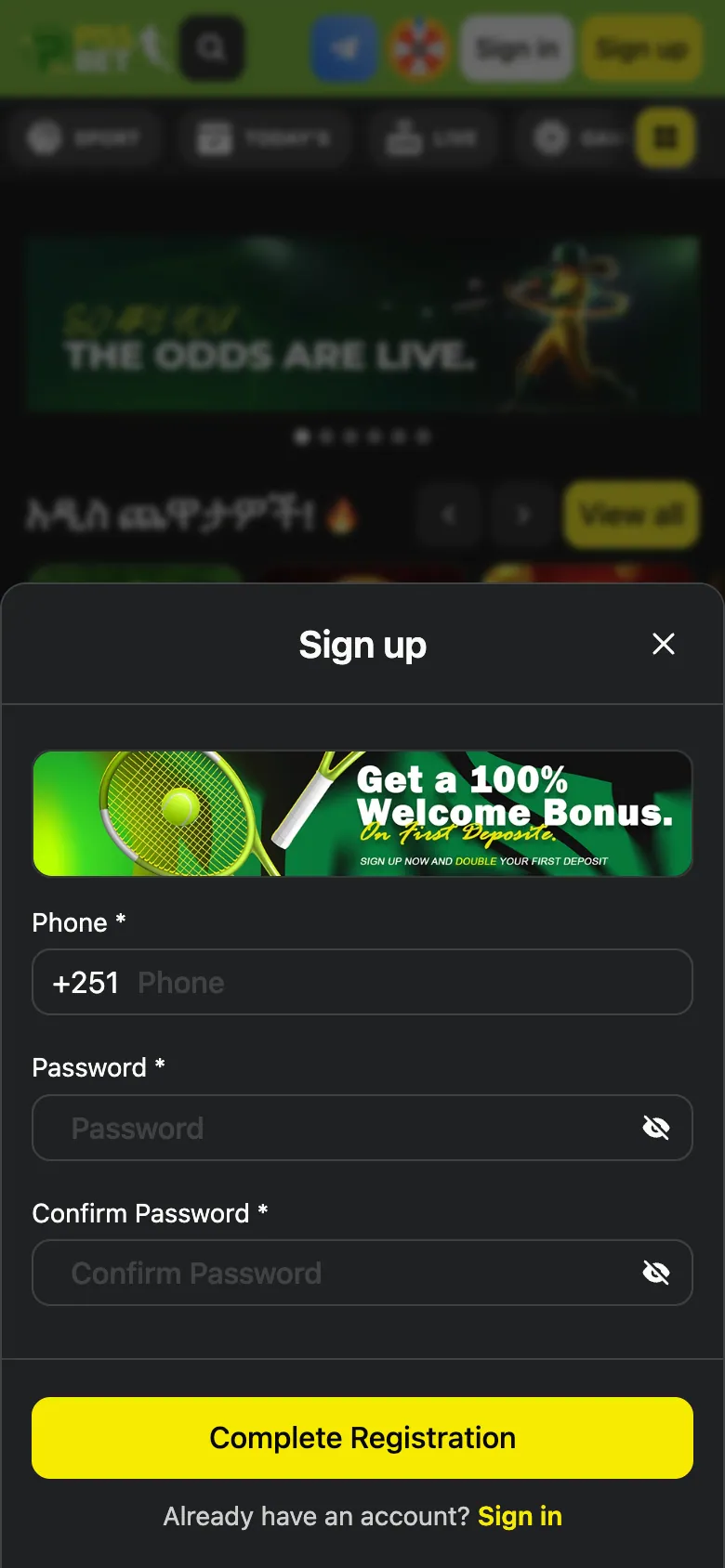
On a phone, the window slides up from the bottom of the screen. If you already have an account, use the Sign in link under the yellow button.
Verification and further checks
Pissbet has not published rules on identity documents, account verification or how long any check might take. Password rules are not published either. Finishing the form may not settle every later requirement, especially for withdrawals. Ask support what applies to your account before you deposit.
Sticking to one account per person is also sensible.The offer shown on the sign-up form
A banner in the window advertises a 100% bonus on the first deposit, with terms attached, so read the conditions of the Pissbet welcome bonus before paying in.

Pissbet Login: How to Sign In
Press Sign in next to the sign-up button. Type your number after +251, enter your password and press the yellow Sign in button. The eye icon helps if you suspect a typing mistake, though check first that nobody is looking over your shoulder.
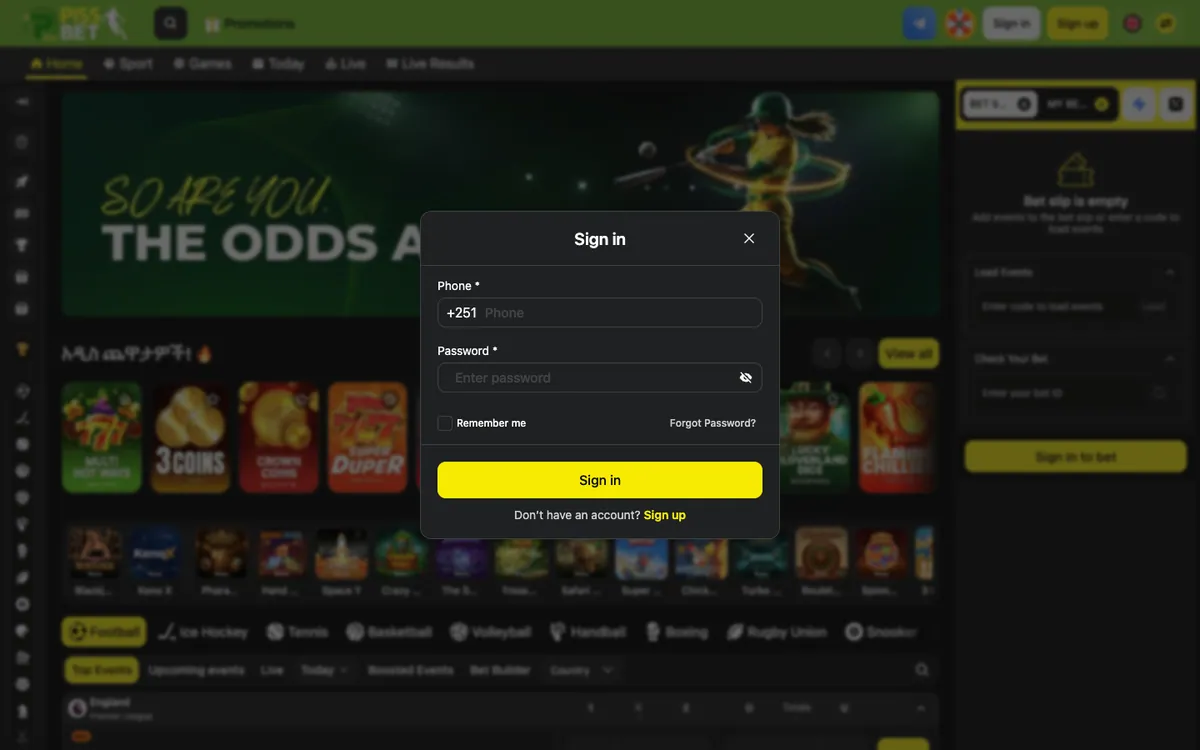
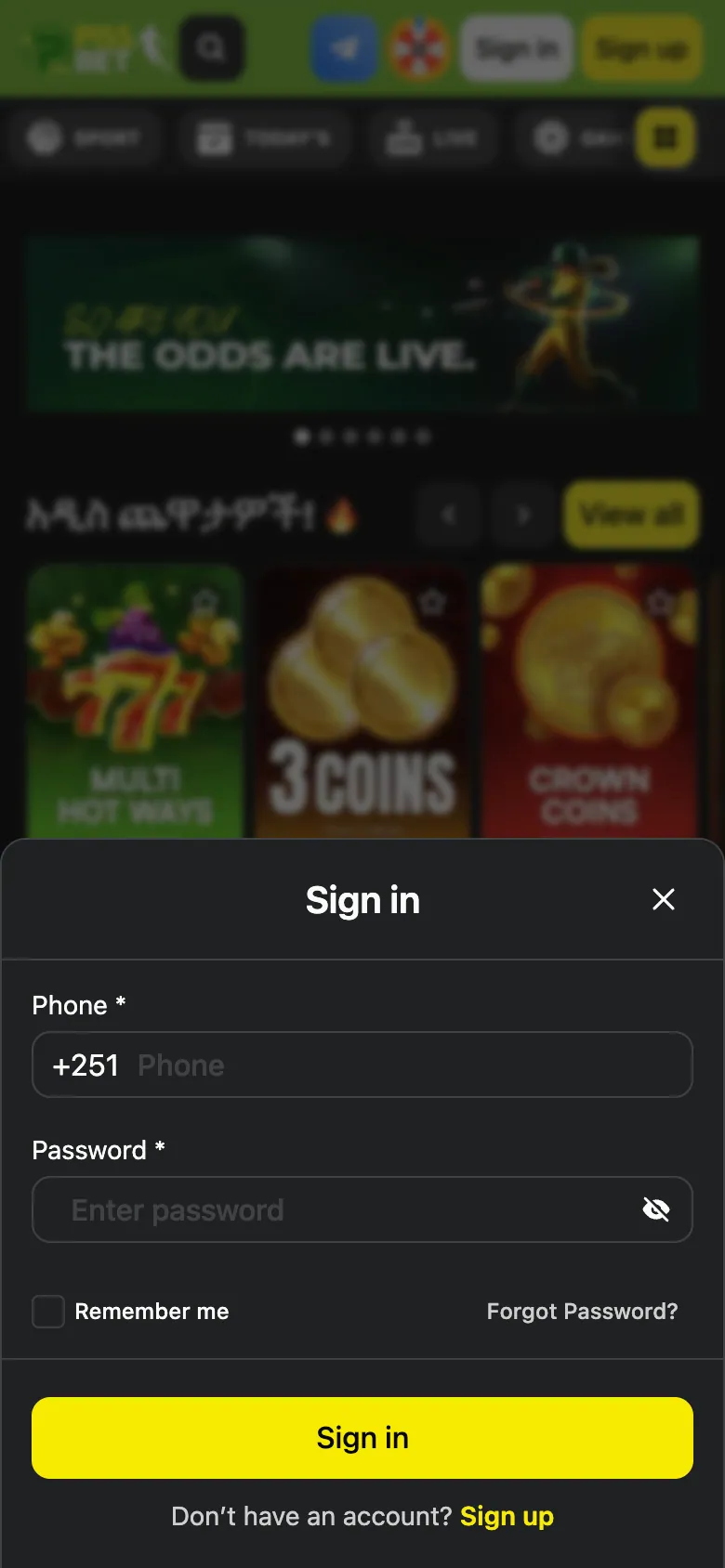
Remember me is an optional tick box. Use it only on a device that stays with you. Leave it empty on a friend's phone, an internet café computer or a family tablet.
The screens here belong to the website; file and installation details for the piss bet app are covered separately.
Forgotten Password: How to Reset It
You do not need a new account if you lose your password. The reset runs through your phone number:
- Open the sign-in window and select Forgot Password?
- Enter your account number after the +251 prefix.
- Press Get reset code.
- Confirm the code that is sent to that number.
- Change your password, then sign in with the new one.
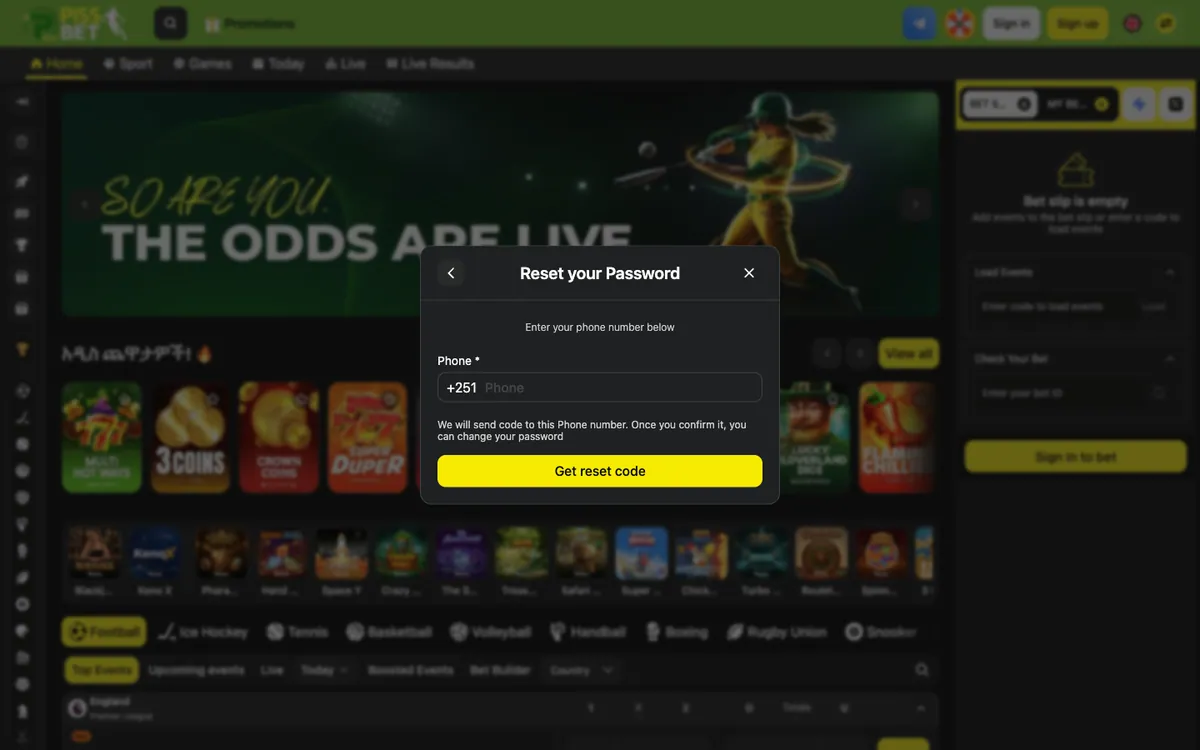
No delivery time or expiry period is published for the code.
Pissbet Login Problems and Fixes
Start with the simple causes. These are general troubleshooting tips, since the brand does not publish a list of login errors.
| Problem | What to try |
|---|---|
| Details are rejected | Check each digit after +251, reveal the password and look for wrong capital letters or extra spaces. |
| Window does not load or respond | Switch between mobile data and Wi-Fi, reload, or try an updated browser. |
| No reset code | Make sure the SIM is active and has signal, and look through your blocked messages. |
| You no longer have the number | Contact support and ask how account ownership can be confirmed. |
Still stuck? Message Telegram support at @Pissbetsupportcenter. Describe the screen and the error, and say roughly when it happened. Support hours are not published.
Self-service steps for changing your phone number or personal details, closing an account or excluding yourself are not published. Send those requests to the same support account and keep a copy of the reply. If gambling is the reason you want to stop, say so plainly, ask for the account to be blocked and make no further deposits.
Account Safety
Anyone who gets your password or reset code may be able to get into your account, so treat both as private. Do not hand them over in a chat, even when asking for login help.
- Pick a long, unique password.
- Never forward a reset code, even to someone who says they work in support.
- Check the Telegram handle letter by letter, because look-alike accounts are easy to create.
- Keep your phone locked and away from children.
Before betting, set a spending limit you can afford to lose, and take a break if play stops being enjoyable.
Frequently asked questions
What do I need for Pissbet registration?
The form asks for a phone number with the +251 prefix, a password and the same password again. You should be at least 21 and use a number that belongs to you.
How do I log in to my Pissbet account?
Select Sign in, type your number after +251 and enter your password. Tick Remember me only if nobody else uses the device.
How can I reset a forgotten password?
Choose Forgot Password? in the sign-in window, enter your phone number and press Get reset code. Once you confirm the code sent to that number, you can change the password.
Does Pissbet require identity verification?
Verification requirements, accepted documents and processing times are not published. Ask Telegram support what applies before depositing.
Can I change the phone number on my account?
No self-service method is published. Contact @Pissbetsupportcenter on Telegram and ask what proof of ownership is needed.
How do I close my account or self-exclude?
Send a clear written request to Telegram support and save the reply. The procedure and timing are not published, so stop depositing as soon as you decide to quit.